


Understanding Fax Modems: Bridging the Gap Between Past and Present
A fax modem connects a computer to a telephone line so fax software can send and receive documents. Learn how internal and USB fax modems work, what your setup needs, and when online faxing can replace local hardware.
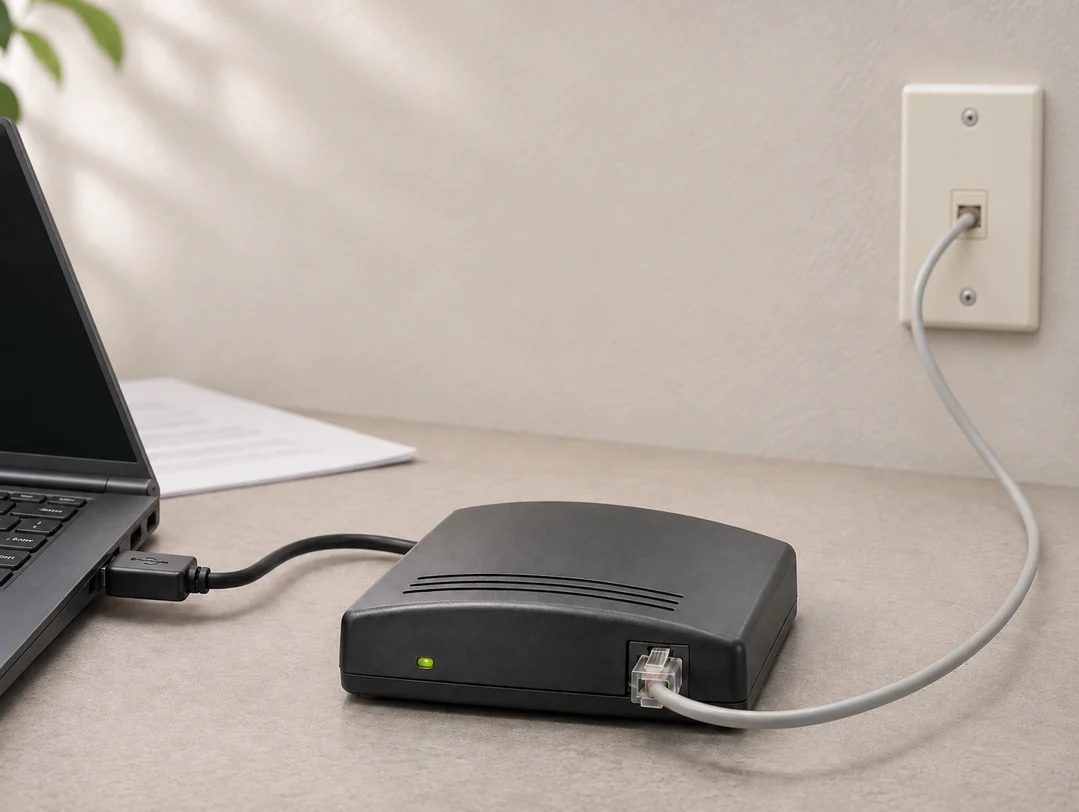
What is a fax modem?
A fax modem is hardware that lets a computer send and receive faxes over a compatible telephone connection. Fax software prepares the document as fax page data, and the modem transmits or receives the fax signals. A USB fax modem connects externally; an internal modem is installed inside the computer.
Types of fax modems
Fax modems differ in how they connect to your computer. Both need compatible software and a working fax connection.
Internal fax modems
An internal fax modem fits into a supported expansion slot inside a desktop PC. It keeps the connection inside the computer, but installation and driver support depend on the card and system.
External fax modems
An external fax modem connects through USB or, on older models, a serial port. It is easier to move between compatible computers, but still needs the correct driver, fax software and telephone connection.
What do you need to use a fax modem?
A modem is one part of the setup. Confirm these three requirements before buying or reconnecting one.
A compatible modem
Choose a device that explicitly supports faxing and your computer’s operating system. A USB connector alone does not establish compatibility.
Fax software and a driver
Install the manufacturer’s supported driver and use fax software that works with the modem. Built-in fax features vary by Windows edition and configuration.
A working fax connection
Connect the modem to an active analog telephone line or a service explicitly supporting your fax setup. An internet router’s Ethernet port is not a fax-line socket.
How does a fax modem work?
The software prepares the pages; the modem handles the fax connection.
Prepare the pages
Open the document in compatible fax software, add the recipient’s fax number and select the modem. The software prepares the pages for fax transmission.
Connect and transmit
The modem dials the receiving fax system. The two ends negotiate the connection, then transmit the fax page data over the telephone service.
Review the result
Check the fax software’s transmission result. A successful fax confirms acknowledgement by the destination fax system, rather than a person reading the document.
Fax modem or online fax service?
Keep a modem for a supported local fax setup, or use an online account to send from your computer without one.
Use a local fax modem
Your computer runs fax software and connects through a compatible modem and telephone service. Receiving depends on that local setup remaining powered, connected and configured to answer.
Fax online with Fax.Plus
Upload documents and send to a fax number through your browser with an internet connection. No fax modem or analog line is needed at your location. Receiving requires an active paid plan and an assigned fax number.
Can a fax modem work over VoIP?
Some telephone services delivered over IP support fax through an analog port or adapter. Compatibility depends on the modem, provider and service configuration. Ask the provider whether your exact fax setup is supported and test it before relying on it. Using Fax.Plus in a browser is a separate workflow: you upload files instead of connecting the USB modem to the service.
Fax modem FAQs
Does a USB fax modem need a phone line?

A USB fax modem needs a compatible telephone connection to place and receive fax calls. USB connects the modem to your computer; it does not supply a fax line. With Fax.Plus, your computer uses the internet instead, without an analog line at your location.
Will a USB fax modem work with Windows 11?
It depends on the modem model, its driver and the fax software available on your Windows system. Check the manufacturer’s current support information before buying. You can also use Fax.Plus in a current browser without installing a fax modem.
Can a Wi-Fi router replace a fax modem?
An ordinary Wi-Fi router cannot act as a USB fax modem. A provider-supplied telephone port or fax adapter is a different setup and needs explicit fax support. To fax through Wi-Fi with Fax.Plus, use the web or mobile app with an internet connection.
Can I receive faxes with a fax modem?
Yes, with compatible fax software, a working telephone connection and the modem configured to answer incoming fax calls. Your computer and modem must remain available for that local receiving workflow. Fax.Plus receives to an assigned fax number on an active paid plan.
Does a 56K modem send faxes at 56 kbps?
Not necessarily. The 56K label usually describes the modem’s data capability, while its supported fax rate can be lower. Check the model’s fax specifications. Document content, connection conditions and the receiving fax system also affect transmission time.
Continue with your fax setup
Explore related hardware, choose a modem-free computer workflow, or understand a fax that is slow or failing.
Check your setup

Fax from your PC
Fix fax problems
Send a fax without a modem.
Use Fax.Plus from your computer or phone to send documents to a fax number. Work online without a local fax modem or analog telephone line.
Partner with us!


Confédération Suisse
Confederazione Svizzera
Confederaziun Svizra
Swiss Confederation
Innosuisse - Swiss Innovation Agency



